
WordPress 4.5, named "Coleman", was released just a few minutes ago. This is the release of the first major WordPress version of 2016, and it comes with some new and exciting features.
In this article, we will show you what's new in WordPress 4.5, and which features you should try after updating the version of your WordPress site.
 WordPress 4.5: new features. Original Hebrew artwork from the release article.
This is a major (main) WordPress version, so if you don't have managed WordPress hosting, you will need to initiate the update manually.
Important note: Please do not forget to perform a full backup before updating the version.
Responsive view in the Customizer menu
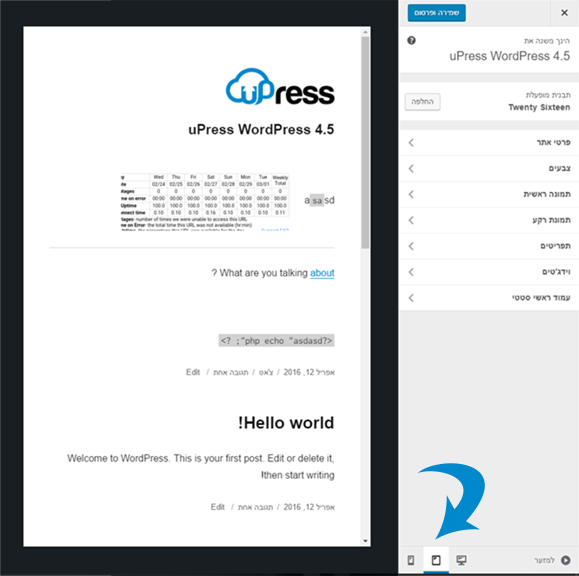
The WordPress 4.5 customizer now comes with a live online preview for desktop, tablet and mobile devices.
All you need to do is click the device icon to switch the view between devices. This will give you a general view of how your WordPress site will look on screens of different sizes.
 Original uPress/WordPress example used in the article. The screenshot retains its original Hebrew interface.
Theme support for the logo
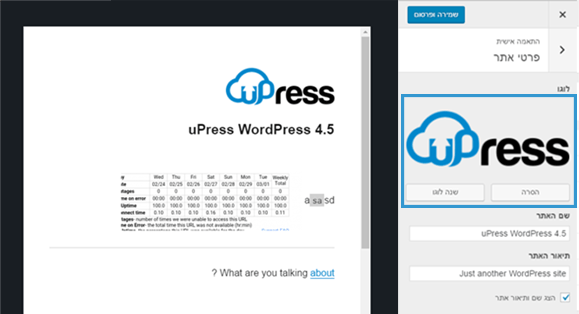
Adding a logo to your site through the Customizer menu is a feature WordPress users have long been waiting for. Many premium (paid) themes allowed users to set their site logo under "Theme Settings", but there was no specific standard for doing so.
With WordPress 4.5, theme developers can now give users full support for setting a logo under the Customizer menu.
 Original uPress/WordPress example used in the article. The screenshot retains its original Hebrew interface.
It is important to remember that this is a theme feature, which means the feature must be supported by your theme.
If the theme does not support this feature, you will not be able to see it under the customization menu.
Improving the site icon display
Site icons were introduced in WordPress version 4.4. This feature lets users set a favicon and an application icon for their WordPress sites.
WordPress 4.5 brings a slight improvement to the feature. Up to 4.4.2, you could see the preview of your site icon only after you had entered some icon. With 4.5, you can also see a preview under the screen Site Details after you have set the site icon.
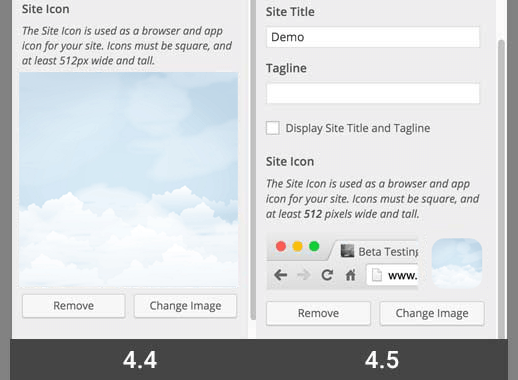
Image optimization to improve performance
Responsive images were one of the main improvements in WordPress 4.4; this feature allowed WordPress to display images in different sizes for users on smaller screens.
WordPress 4.5 takes this to a new level by improving the performance of the way images of different sizes are generated.
In the past, WordPress used a quality of 90 for image quality when compressing images (after they were created). From now on it will use a quality of 82, which produces almost identical images in terms of appearance but with a much lower file size.
WordPress states that images will now load up to about 50% faster without harming image quality.
Comment management screen upgrade
WordPress 4.5 upgrades the screen for managing comments pending approval, accessible from a link in the email, and makes it more usable. HTML tags embedded in a comment will be displayed properly (as opposed to previous versions, where they were simply displayed as code), and an option was added to edit the comment directly on this screen.
identical domain links in comments without a nofollow tag
In the past, all links added to the comment content area had a nofollow tag added to them by default.
WordPress 4.5 will not add the nofollow tag to links pointing to the same domain.
If you or your users add a link to a post or page on your site in the comment text, WordPress will not add nofollow by default.
However, if a user adds the link in the URL field when filling out a comment, WordPress will add the nofollow tag to the link.
Improving the visual editor
Most WordPress users spend most of their time writing content. This makes the visual editor one of the most important tools and a significant piece of the puzzle that makes up the overall user experience in WordPress.
WordPress 4.5 builds on several existing improvements and adds a few new features to make the writing experience faster and more enjoyable.
Inline link editor
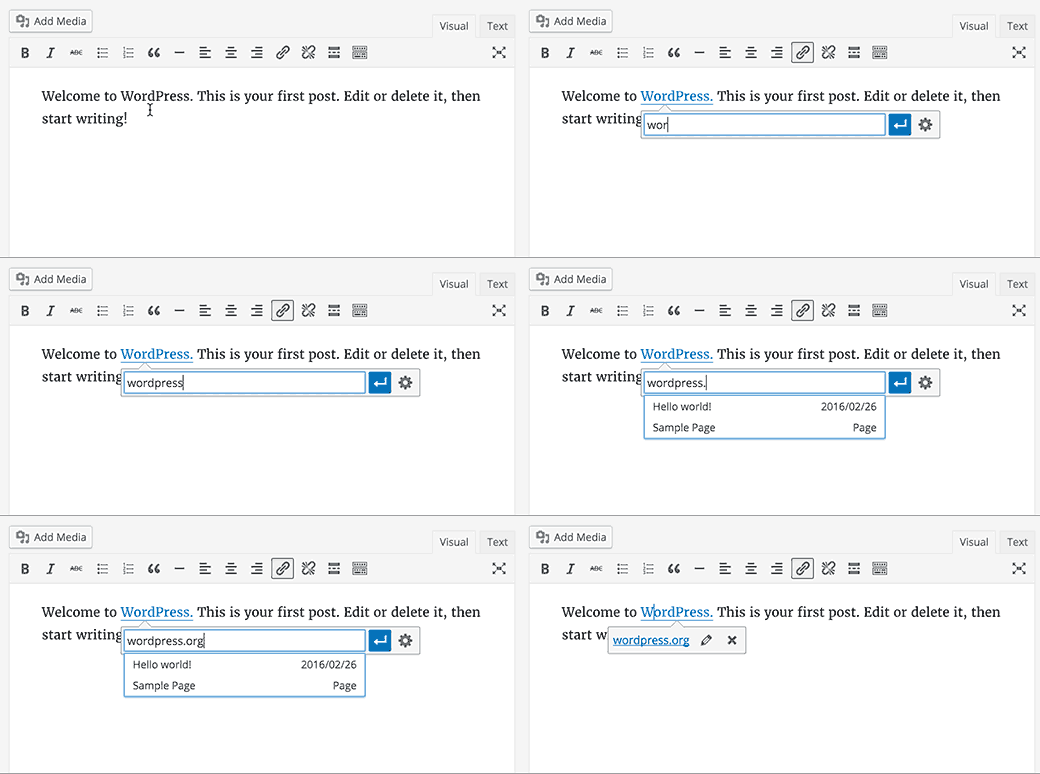
One of the keyboard shortcuts in WordPress is Ctrl+K / Cmd+K, which lets you add links in posts. Until 4.4.2, the shortcut opened a pop-up window that was a bit distracting.
In WordPress 4.5, pressing CTRL + K displays an inline link menu. All you need to do is type the site address and keep writing your post without taking your hands off the keyboard.
New keyboard shortcuts for text
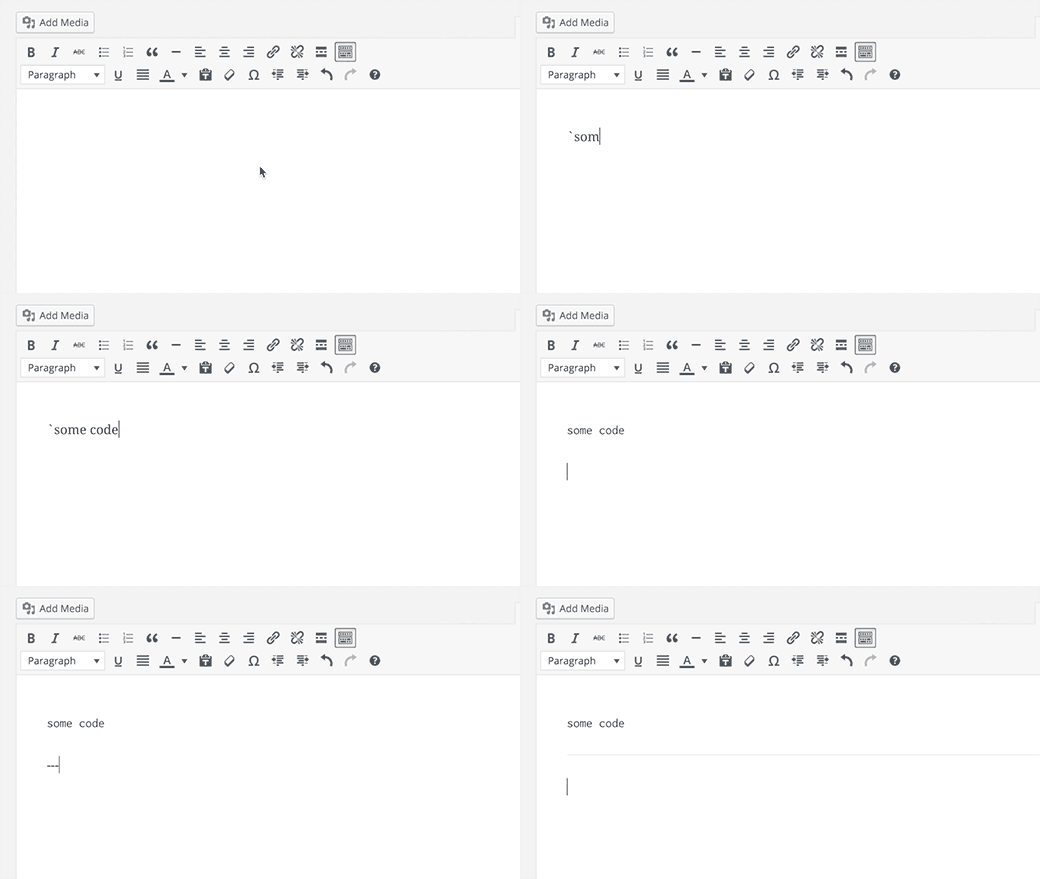
Inline text keyboard shortcuts were introduced in WordPress version 4.3. These shortcuts let you quickly add formatting markup while writing your content.
WordPress 4.5 lets you use three or more hyphens – to add a horizontal line. You can also use single backticks (the key above Tab) to add a line of code.
If you would like to see the full list of keyboard shortcuts available in WordPress – you can do so by clicking Help icon in a visual editor.
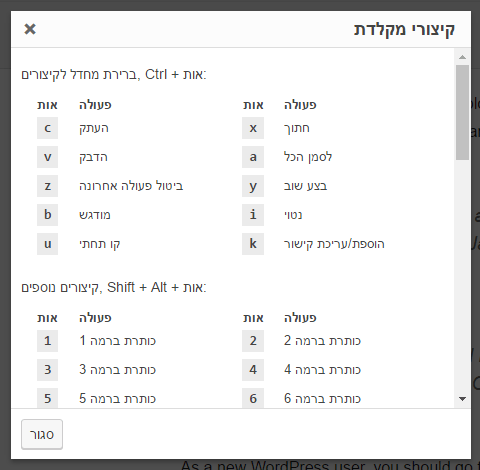 Original Hebrew WordPress interface. Follow the English instructions in this article; labels and positions may differ in newer versions.
For those of you who want to become experts in the WordPress visual editor – you can read a more in-depth article In the following link.
Logging in with an email address
Many online services such as Facebook, Twitter and so on let you log in to your account not only with your username but also with your email address. Because you can easily forget your username, but most people don't forget their email address. WordPress 4.5 lets users log in
because you can easily forget your username, but most people don't forget their email address.
WordPress 4.5 allows users to log in to the site administration using either the username or the email address associated with the username.
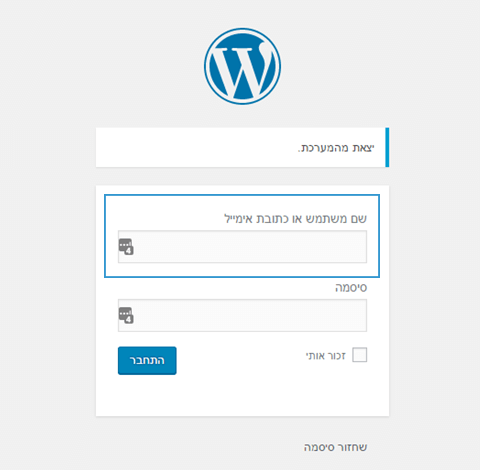 Original Hebrew WordPress interface. Follow the English instructions in this article; labels and positions may differ in newer versions.
If you are currently using a plugin that enables logging in to the system by email, you can now safely turn it off.
Under the hood
WordPress 4.5 also brings several new and exciting improvements for developers.
Updated libraries – WordPress 4.5 comes with new versions of bundled libraries for Underscores, Backbone, jQuery, and jQuery Migrate
Selective refresh in the Customizer menu – In the past, a few changes in the Customizer menu required a full page refresh. WordPress 4.5 comes with a framework to allow selective refresh in the Customizer menu. This feature will improve speed and also allow developers to do great things with live online previews.
WP_Site Class – WordPress 4.5 adds a WP_Site class that represents a single site under WordPress Multisite.
Improved post embedding system – Starting with WordPress 4.4, it became possible to embed within a post other posts from the site or from other WordPress sites; WordPress 4.5 allows the theme to fully customize the design of the embedded post, so theme developers can adapt the embedded display to their theme.
Loading scripts – WordPress 4.5 introduces wp_add_inline_style(), which makes loading inline scripts easier.
