The coronavirus period burst into our lives and completely changed all the habits we held before it.
Gyms have closed, workouts take place in front of the computer in the living room, conference rooms have been left deserted and team meetings are held on ZOOM.
Family gatherings became a remote call, and in effect, having no choice, we converted almost every meeting from the physical world to the virtual world.
The internet was built specifically for this purpose of staying in touch even remotely, but at the same time, many people find it very hard to "manage" all these meetings. but there is a very big difficulty for many people to "manage" all these meetings.
Organizations / businesses / individuals who have had no experience at all with such virtual meetings put themselves and their users in a state of great confusion caused by the number of video call links and the different software that has to be downloaded on every device, and are mostly bound by the various limitations that apply to users of the free version on the well-known platforms (limits on the number of users, on meeting duration, on call and video quality, etc.).

We at uPress We identified this problem from the requests of many users, from the discourse we are witnessing online, and above all from our own personal need, as people who had to make this transformation to video calls instead of physical meetings, just like everyone else.
that The first step in the solution we created specifically out of a personal need that we encountered in our own lives and in the lives of those close to us.
Which of us doesn't have a grandmother or grandfather who don't "swim" in the world of technology? A father or mother who learned to use an iPhone long ago but for whom ZOOM remains an unsolved mystery. This technological gap has created fear and apprehension in many people about using online video conferencing services, and many of those who did manage the task ran into various difficulties that forced them to buy premium subscriptions, along with additional difficulties.
And so, shortly before the Passover holiday, and in order to help as many people as possible celebrate the holiday together (remotely), we set up a Video Conference service that is free to use and completely free of charge, called uPress meet, which can be easily accessed By clicking here.
The idea behind launching the service was to let any user join a group video call simply by opening a link in the browser, with no software to download and no limits – just a Full HD video call on a higher-quality encrypted service, and of course completely free.
that The second step in the solution which is actually based on a system we developed earlier and implemented through simple and easy use of a very well-established WordPress plugin that will let each and every one of you apply, at the click of a button, the solution we offer and turn your WordPress site or a new site you build for this purpose to a group video platform based on users and groups of your choice.
The plugin BuddyPress has existed for over a decade in the WordPress plugin repository. After a simple installation it lets you create a WordPress-based "social network", in which you can manage a personal profile for each user, send private messages between users, manage user groups, set different statuses for users, map friendship connections and a variety of other options.
The plugin's various options "dress up" the core of your WordPress user system, which makes the task extremely simple.
To BuddyPress We are adding another nice little add-on called Buddymeet which extends the capabilities of our plugin and lets us easily connect to uPress's video service and associate a group video call with each of the groups we chose to set up in the system.
After installing these two plugins you can invite users to register on your site, add them to the groups that suit them, or invite the users already registered on your site to the relevant groups.
In fact, with the click of a single button you can set up a free video call directly inside your site, available only to members of the relevant group. The proposed solution will let you organize your groups easily, and adding more options becomes easier and simpler than ever,
If you wish, you can add to the solution we suggested many complementary solutions, such as charging for joining a group and any possible solution that a good imagination and the tens of thousands of plugins available for WordPress can offer you…
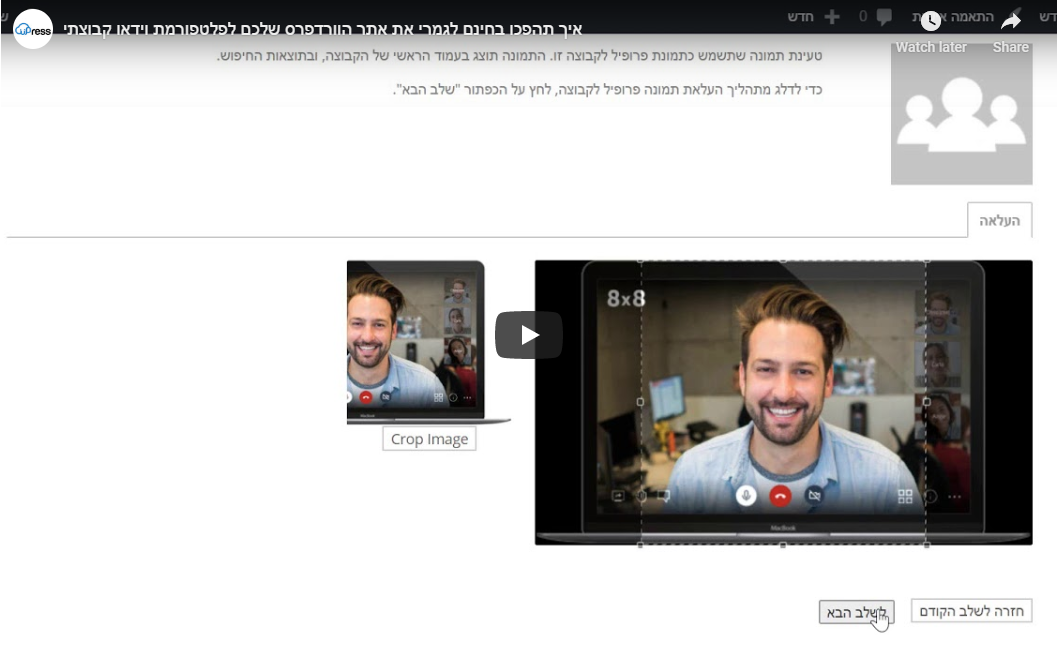
The whole installation process is simple and quick and requires no more than ten minutes of setup on an existing site, but to make it as easy as possible we prepared a short video guide that will show you the installation process step by step and explain how to use it.
I wish all of us that this crisis passes as quickly as possible and that we return to the routine we knew, because to tell the truth – a thousand video calls are not equal to a single hug. But until then, we are here for you, in an enhanced format, to ensure continued proper operation with maximum resilience in every possible situation. We are committed to this requirement all year round, especially at times like these.
For your convenience, I am attaching relevant links to the required plugins (which you can also download directly from the plugin directory): BuddyPress, BuddyMeet.
And of course, a a link to our video service through which everything happens: