In this article we will review a number of common mistakes made by WordPress developers, and we will also understand how we can avoid these mistakes and develop a better site in terms of performance, security, maintenance and more.
Whether you are a developer at the beginning of your path or one with many years of experience, everyone makes mistakes, but let me tell you something: that is really okay too! As long as you learn from mistakes and avoid them in the future.
1. Developing a site without a development environment – working on production
Working on a site while it is live brings legitimate pressures with it.
Every system crash or site breakdown becomes a problem that requires immediate handling, which cannot always happen quickly
Working in a development environment is a developer's first step toward maturity, and a very important tool in the toolbox, since it allows far-reaching changes to be made calmly against a demo site.
2. Developing a WordPress site without debug mode
When we develop a WordPress site (or any other type of site) we want to receive A response from the other side (the hosting server) if we did something incorrectly.
During the development process, it is important for us to ask WordPress to "spit out" the errors for us so that we can receive information about the error, the file in which it occurs (the cause of the error) and sometimes even the the line number where this happens.
Developing a site without debug mode is a critical mistake, since development time may become significantly longer.
It is important to note that we will enable debug mode only while the site is under development, and not on a Production server, since errors are not something we want to expose to our visitors.
How do we enable debug mode?
We need to log in to our project server and edit the wp-config.php file; find the following lines:
define( 'WP_DEBUG', false);
define('WP_DEBUG_LOG', false);
Now you need to change the values from false to true.
If the second line does not exist at all, add it with the value true.
uPress customers: As part of the hosting plan, you can put your site into Development mode for a certain period of time (with the click of a button) to make sure that error messages are not emitted after development hours.
in order to enable development mode on a site In the uPress admin panel, go to the Development tab and select development time in the first category – Activating a site in development mode.
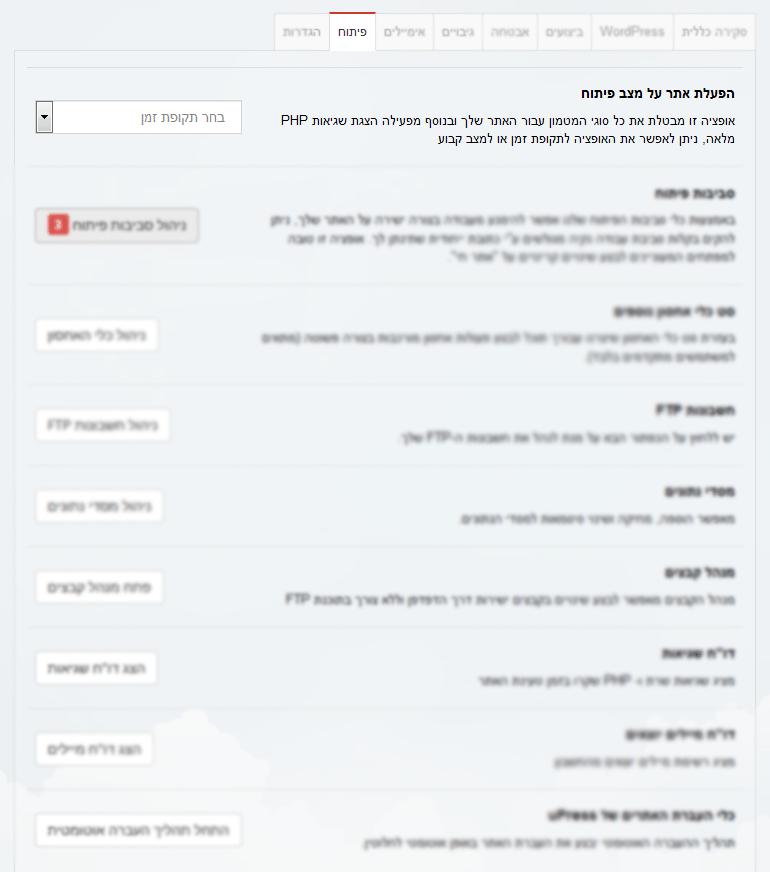 Original Hebrew WordPress interface. Follow the English instructions in this article; labels and positions may differ in newer versions.
3. Incorrectly importing JavaScript and CSS files into the theme
In many development tasks we can choose the one preferable way from among several possible ways, but not when it comes to importing JavaScript and CSS files into our theme.
Beginner WordPress developers tend to adopt a bad and mistaken habit of importing the static files (JavaScript + CSS) inside the theme files header.php and footer.php, as we are used to doing, using the script tag (for JavaScript files) and the link tag (for CSS files).
WordPress provides us with 2 dedicated functions that are responsible for performing this task correctly and properly:
wp_enqueue_style
wp_enqueue_script
Read about these functions and try to use them regularly.
4. Using the default prefix
When we install a new WordPress site, WordPress asks us for the prefix we want to give every table in our database.
Many developers leave the default prefix "wp_", which is highly not recommended since it makes it easier for hackers to carry out attacks on our database.
In your next WordPress installation, remember to change this prefix to a different one. This is not classic WordPress developer work, but because the installation often falls to the developer, pay attention to the issue.
5. Using absolute paths
We often need to insert the site address into code, as part of a function, displaying an image or importing some file.
Absolute paths are full paths that contain the site's full address, for example:
http://www.example.com/wp-content/themes/mytheme/images/logo.png
Using an absolute path is very bad, because if we change the site's address or even just add an SSL certificate to our site (which is highly recommended) we are in trouble; we will need to change the site address everywhere it is mentioned.
What's the solution? Relative paths.
If everything is fine, the following path should provide the same result as the path above:
/wp-content/themes/mytheme/images/logo.png
In addition, it is worth knowing that WordPress provides a simple but useful function for displaying our site's address, an example of printing the current address:
<?php echo get_site_url(); ?>
This function returns the site URL according to the setting in the database, in our case – http://www.example.com
6. Code that depends on page/post ID
Often we will want to write code that runs on a specific page or post.
Although this is a quick solution and sometimes, rarely, even unavoidable, executing code after checking a unique identifier (ID) of a page/post is a very bad habit that is best avoided.
A page ID can always change if a new page is created, so this is an inelegant solution that makes site maintenance harder.
If you need to execute some code on a specific page, consider adding a custom field (ACF) with a value True/False that will be responsible for this.
In the site code, retrieve the field's value and if it is positive (True) and execute the code. If the code is meant to run on several pages, consider creating New page template.
7. Updating Core and plugins on the Production server
Correct, updating WordPress Core and the plugins we use is a highly recommended habit, but this too needs to be done correctly and carefully.
An update of the Core or of some plugin may take the site down immediately, without an up-to-date and valid backup this may even lead to an irreversible situation.
Make sure to maintain Staging environment of your site, where you will carry out developments, updates and changes first.
uPress customers, we recommend updating the Core or some plugin in your development environment your own and after testing move to the production server.
For explanations on using the uPress development environment You can watch the following video
https://www.youtube.com/embed/_QQXQfOMIbA?rel=0
8. Developing a site without a child theme
One of the critical mistakes and hardest things any WordPress developer can do.
While developing our site, we will likely make changes to the theme files, whether PHP or CSS files.
Developing the site without a child theme means that on the next theme update all the changes we made will be erased, which would be a shame.
In order to prevent this unfortunate case, Invest a few minutes and create a child theme.
In summary
In this article I tried to compile a number of common mistakes made by WordPress developers, and explain how to avoid these mistakes and build a better site in terms of performance, security, maintenance and more.
I hope I managed to convey the importance of the subject; if we adopt proper development habits, we can save a huge number of development hours and reach a high level of website development.